


Scanning Tips to Help HONOR.WOW.IMPRESS.POP.
THE BEST ADVICE WE CAN GIVE TO MAKE YOUR HONOREE'S BANNER THE BEST IT CAN BE – TAKE THE TIME TO ENSURE THAT YOU SUBMIT A HIGH RESOLUTION IMAGE THAT CAN BE PROPERLY ENLARGED TO BANNER SIZE.
When uploading images for production, the higher the resolution (expressed as dots-per-inch or dpi), the better the end results will be. Images that are taken from social media or the internet are typically low resolution and are not meant to be used for high-quality, large format printing.
For smaller photos, increase the resolution to 600-1200 dpi. For yearbook size photos, 2400 dpi is recommended.
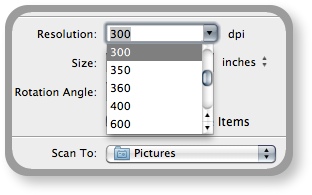
Higher resolution is always your friend when it come to banner printing. Don't just accept the default on your scanner, if possible. To reduce file size, make sure to scan only the photo area. Most scanning software allow you to select only the photo area. Also, you can save file size by scanning black and white photos in grayscale mode.
SCAN JUST THE PHOTO AREA ONLY. No need to scan any additional white area outside of the photo as this will increase file size unnecessarily. Most scanners allow for selection of the desired scan area. Let our skilled staff crop the image for you. Often we need additional image area to ensure it properly fills in the photo section on the banner.
Also, we will take each image and correct any issues to the best of our abilities. No need to try to do it on your end. Each photo received gets color corrected, sharpened, blemishes and scratches removed. Our goal is always to make your photo look better on the banner than how it was received.
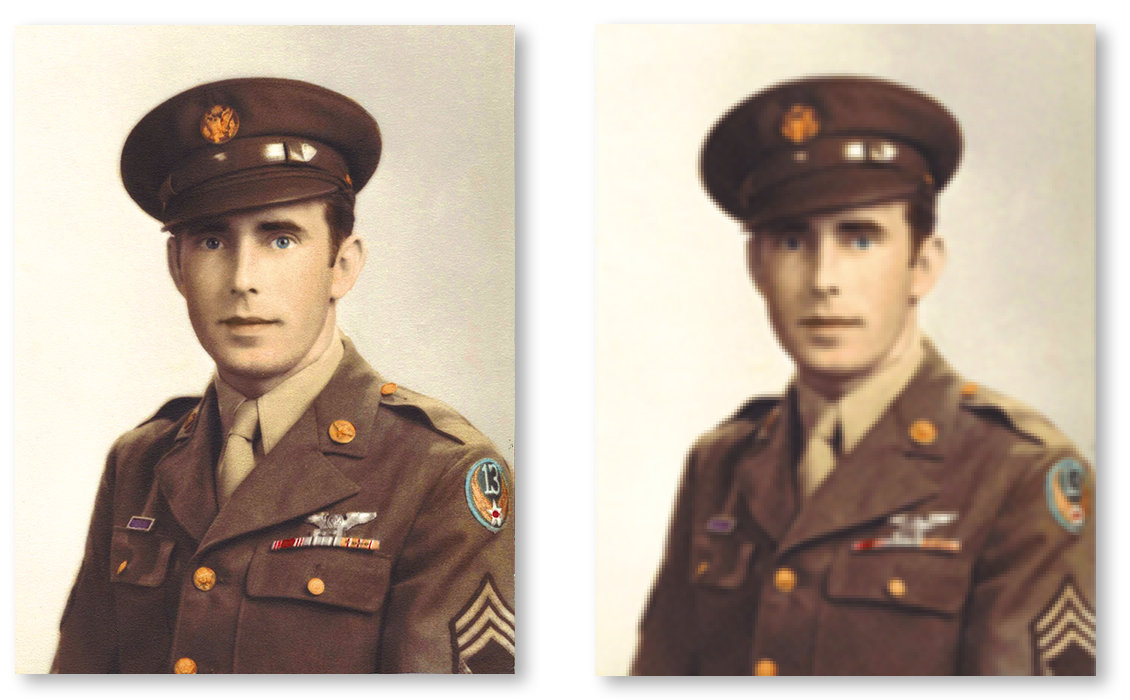
High-res vs. low-res results after printing.
We can accept just about any format. However, we recommend high resolution jpgs. When saving photos after scanning, ensure that the save setting for the format you select is set for the maximum resolution / print quality available. Most scanners have a default of low resolution / small file size for these formats so verify settings before saving image.
NOTE: A low-resolution "save" setting will wipe out a high-resolution scan. Vice-Versa: A high-resolution "save" setting will do very little to enhance a low-resolution image, so both are crucial to ensure the best end result when printed at full banner size.
Take the time to name the file with the honoree's name. File names such as "Dad's photo" or scan numbers should be avoided to ensure easier attachment of your photo to your order.
If you need assistance, please give us a call. We can most likely talk you through your scanner software in order to get a great scan for your Military Tribute Banner. We will soon be adding scanning tip videos to help you in this process of honoring your military hero.
Honoring our military heroes throughout communities nationwide.